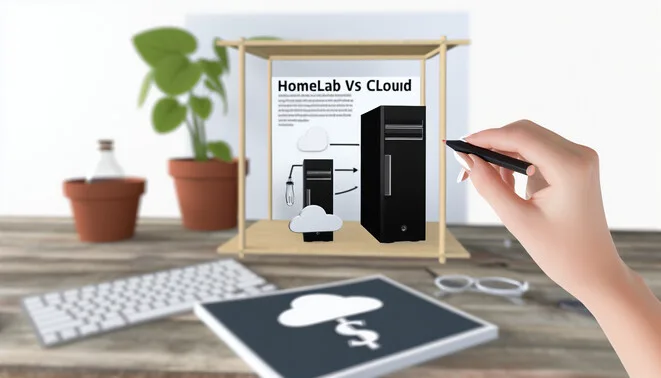
Cost Analysis: Homelab vs Cloud
When evaluating the costs of a homelab versus cloud services, it’s essential to consider both upfront and ongoing expenses.
Upfront Costs:
- Homelab: Initial investments typically include hardware purchases such as servers, routers, and storage devices. Depending on capacity and technology (e.g., RAID configurations for data redundancy), setup costs can range from $500 for basic setups to over $5,000 for advanced layouts [Source: TechRadar].
- Cloud: Starting with cloud services generally has lower upfront costs since physical hardware purchases are unnecessary. However, registration and initial setup fees for services (AWS, Google Cloud, Azure) might apply, potentially adding from $100 to several thousand dollars based on resources chosen.
Ongoing Costs:
- Homelab: Ongoing expenses include electricity, maintenance, and software licenses. Electricity bills may average $50 to $200 per month, while software licenses can incur an annual cost of $100 to $300 [Source: Data Center Knowledge].
- Cloud: Typically based on a pay-as-you-go model, ongoing costs can fluctuate significantly, starting at about $10 per month for small deployments and escalating based on usage [Source: ZDNet].
In summary, while a homelab might require more initial capital, it can offer predictable, controlled ongoing expenses. Conversely, cloud services provide flexibility and scalability but may lead to variable costs that could accumulate significantly over time.
Key Considerations
When deciding on a tech solution, several key considerations could significantly influence the outcome.
- Control: Organizations often weigh the benefits of managing in-house environments versus relying on third-party services. In-house solutions offer flexibility, while third-party services help expedite deployment [Source: CIO].
- Security: With rising cyber threats, evaluating the security protocols of solutions is essential. A survey showed that 57% of organizations faced data breaches linked to third-party providers [Source: CSO Online].
- Skill Requirements: Depending on the technology, the skill set needed for implementation and maintenance can vary greatly. Companies may need to invest in training or hire specialized talent [Source: Forbes].
- Specific Workload Purposes: Different workloads may necessitate distinct solutions, assessing expected growth is essential for making informed choices [Source: Red Hat].
Benefits of Homelab
The benefits of homelabs are numerous and can greatly enhance both personal and professional development.
- Cost Predictability: Homelabs entail a one-time investment in hardware, avoiding unexpected charges from cloud services [Source: TechHive].
- Full Stack Control: Users can configure their settings to meet specific needs, providing deeper insights into system management and troubleshooting.
- Opportunities for Skill Development: Engaging in practical projects enhances expertise in areas like networking, systems administration, and cybersecurity [Source: Homelab subreddit].
Benefits of Cloud
Cloud services offer a multitude of advantages that make them ideal for businesses of all sizes.
- Scalability: Cloud platforms allow organizations to easily manage IT resources according to demand, which is crucial during peak times.
- Enterprise-grade Reliability: Major cloud providers invest heavily in infrastructure, ensuring high availability and robust security [Source: Envestnet].
- Suitability for Rapid Prototyping: The ability to quickly deploy environments fosters innovation and keeps companies agile [Source: Forbes].
- Collaboration and Productivity Tools: Cloud applications facilitate remote work and enhance teamwork.
Potential Savings and Tradeoffs
Choosing between wearable health technology and traditional options involves evaluating potential savings and tradeoffs. Wearable devices typically offer significant savings through preventative health benefits [Source: NIH]. The initial investment can be substantial, and concerns about data privacy exist [Source: Healthline].
Traditional healthcare methods may incur higher costs but offer robust assessments. The choice hinges on balancing savings against potential compromises based on personal health needs.
Infrastructure Costs and Maintenance
The costs associated with building and maintaining a homelab versus utilizing cloud solutions can vary significantly based on several factors.
Infrastructure Costs:
- Homelab Setup Costs: Initial investment encompasses hardware purchases, with basic setups around $500 and robust configurations exceeding $5,000 [Source: TechRadar].
- Cloud Solution Costs: Cloud services operate on a pay-as-you-go model, with costs based on usage [Source: Forbes].
Maintenance Requirements:
- Homelab Maintenance: Requires ongoing management for hardware failures, security compliance, and backups [Source: Homelab.com].
- Cloud Maintenance: Managed by providers but requires user management for applications and data security [Source: CIO].
Scalability and Current Trends
Effective scalability in technology ensures that systems can handle growing loads without compromising performance, becoming increasingly critical for businesses. Recent trends highlight the adoption of hybrid environments that combine on-premise and cloud strengths, optimizing cost efficiency [Source: Red Hat].
Organizations utilize hybrid solutions to leverage existing infrastructure while adopting new technologies, resulting in a 34% reduction in IT costs [Source: Cluster Reply]. The convergence of AI and cloud computing drives these efficiencies, enabling real-time decision-making [Source: Towards Data Science].
Summary Table: Homelab vs Cloud
| Feature | Homelab | Cloud |
|---|---|---|
| Cost | Upfront hardware costs and ongoing maintenance. | Pay-as-you-go or subscription model; costs vary by usage. |
| Scalability | Limited by physical resources; scaling requires additional hardware. | Highly scalable; resources can be increased on-demand. |
| Control | Full control over hardware and software configurations. | Limited control; dependent on provider’s infrastructure. |
| Performance | Performance largely dictated by local hardware specifications. | Performance may vary based on data center load and internet connection. |
| Availability | Reliability depends on local power and internet. | Typically ensures high availability with SLA guarantees. |
| Security | Full control; requires personal management of security measures. | Managed security services; may involve shared responsibility model. |
| Learning Curve | Steeper learning curve; requires technical knowledge. | Generally user-friendly; many solutions with drag-and-drop interfaces. |
Conclusion
Balancing cost, control, and scalability is crucial when choosing between a homelab and cloud solutions. Homelabs generally necessitate higher initial investments, while cloud services offer flexible pricing models. Consider your specific requirements for budget, control, and scalability to make an informed decision. This will ensure the choice aligns with your operational efficiency and future growth aspirations. For more insights on technology trends, view our article on the impact of AI on businesses.
Sources
- CIO – How to Deploy a Homelab
- Cluster Reply – Hybrid Cloud vs Multi-Cloud: What Are the Key Differences
- CSO Online – Third-Party Vendor Security: How 70 Organizations Responded to a Cyberattack
- Data Center Knowledge – Cloud vs Homelab: Costs and Commitments
- Envestnet – The Benefits of Cloud Services for Business
- Forbes – Why Your Business Needs to Consider a Skills Gap Analysis
- Forbes – Cloud Computing Costs
- Healthline – Wearable Technology: Pros and Cons
- Homelab.com – Getting Started: Homelab Maintenance
- NIH – Wearable Technology: A New Health Monitoring Tool
- Red Hat – Hybrid Cloud Best Practices
- TechHive – Home Lab Costs and Considerations
- TechRadar – How to Build a Homelab
- TechRadar – The Best Homelab Server
- Towards Data Science – Cloud Computing and AI: A Perfect Match
- Virtual Home Lab – 3 Essential AI Infrastructure Stocks to Invest In 2025
- Virtual Home Lab – The Ultimate Guide to Minecraft Self-Hosted Servers: Weighing the Pros and Cons
- Virtual Home Lab – Meta Unveils AI Companion App With Social Media Twist
- Virtual Home Lab – The Rise of Wearable Health Technology Transforming Personal Well-Being
- Virtual Home Lab – AI Revolution: The Rise of Automation and the Future of Work