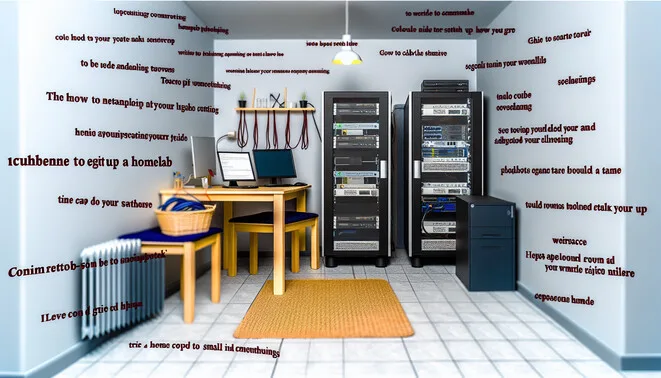
Introduction to Homelabs
A homelab is a personal test environment set up by tech enthusiasts to experiment with various IT technologies, networking, and server management. The appeal of homelabs has surged among users looking to deepen their technical skills and gain hands-on experience without the constraints often found in professional settings.
Homelabs can vary significantly in complexity, from simple Raspberry Pi projects to more substantial installations involving servers and networking equipment. They offer an ideal environment for learning new skills, testing software, and exploring technologies such as virtualization, cloud computing, and DevOps practices. This flexibility allows users to troubleshoot real-world issues, experiment with configurations, and simulate network infrastructures in a risk-free manner.
The popularity of homelabs can also be attributed to the growing availability of affordable hardware and software solutions, along with the rise of cloud services. As resources become more accessible, more individuals are diving into the world of self-hosted applications and personalized network management. They not only foster technical knowledge but also encourage creativity and problem-solving, making them a valuable asset for anyone looking to enhance their IT skills. For further insights into this topic and related technologies, check out our article on the ultimate guide to Minecraft self-hosted servers or explore the growing field of automation in our piece on AI’s role in the future of work.
Defining Your Homelab Goals
Defining clear goals for your homelab is crucial, as it shapes the direction and scope of your projects. Whether you’re focused on learning new technologies, preparing for certifications, or hosting applications, each objective necessitates different hardware and software choices.
- Learning Technologies: If your goal is education, prioritize versatile tools and platforms that allow experimentation. For instance, consider virtualization software like VMware or VirtualBox, which enables you to simulate various environments without heavy hardware investment.
- Certifications: For those pursuing professional certifications (like AWS or Microsoft Azure), align your homelab with resources that mirror real-world environments. This may involve procuring specific networking equipment or cloud service simulations to gain practical experience.
- Self-hosting Applications: If your aim is to self-host applications, recognize the requirements of the software you want to run. For popular options like Plex or Nextcloud, your hardware should support adequate processing power and storage to ensure smooth functionality.
Ultimately, identifying your core objectives will streamline your setup process and enhance your overall learning experience. For additional insights into building effective systems in your homelab, read about self-hosted server options and strategies for enhancing your setup.
Hardware Essentials for Beginners
Setting up a homelab can be an exciting journey, and selecting the right hardware is crucial. Here are some cost-effective options that cater to different needs and budgets:
- Raspberry Pi: The Raspberry Pi series is a popular choice among beginners for its affordability and versatility. The Raspberry Pi 4, with up to 8GB RAM, can handle various applications, from web hosting to media servers. Its GPIO pins also enable unique DIY projects. You can find more about its capabilities and projects here.
- Mini PCs: Compact and energy-efficient, mini PCs like the Intel NUC or ASUS VivoMini are ideal for homelabs. They often come with modern processors and enough RAM to run multiple virtual machines. The flexibility of these systems allows you to run various operating systems, making them perfect for testing and learning.
- Repurposed Hardware: Using old computers can save money and reduce e-waste. You can often find powerful machines capable of running a homelab environment. Just ensure to check the specs for compatibility with virtualization software. Tools like Proxmox or VirtualBox can help you maximize the hardware’s potential.
- NAS Devices: Network Attached Storage (NAS) is essential for data management. Devices like Synology or QNAP create a reliable storage solution for media, backups, and file sharing. They come with user-friendly interfaces and often support various applications, enhancing your homelab’s capabilities.
- DIY Server Builds: For those comfortable with assembling their own hardware, building a server with components from brands like AMD or Intel can offer high customization and scalability. This option meets the specific needs of your homelab while potentially reducing long-term costs.
Choosing the right hardware largely depends on your goals and budget. For expanding your knowledge and skills, exploring these options will ensure you establish a robust homelab tailored to your needs. For more tech inspiration, check out how AI is transforming various industries.
Software and Virtualization Platforms
Open-source virtualization platforms have become essential tools for homelab enthusiasts looking to maximize their setups without bearing high licensing costs. Here’s a breakdown of some key software options:
- Proxmox VE: Proxmox is a robust open-source platform designed for virtualization. It supports both KVM (Kernel-based Virtual Machine) for full virtualization and LXC (Linux Containers) for lightweight containerization. Proxmox features an easy-to-use web interface and allows for clustering, high availability, and low downtime migrations. Its comprehensive backup and restore options add to its appeal for homelab users. For more on its advantages, check out this article on Proxmox.
- Docker: Docker is widely known for its containerization capabilities, allowing users to create, deploy, and manage applications within containers. This platform is ideal for those who want to develop and test software quickly. Its extensive ecosystem includes Docker Compose for defining multi-container applications and Docker Hub for easy image sharing. Docker’s efficiency and scalability make it a popular choice in homelabs focused on microservices architecture. More insights are available in our Docker guides.
- VirtualBox: This user-friendly platform is great for beginners wanting to run multiple operating systems simultaneously. VirtualBox supports a wide range of guest OS types and offers features such as snapshots and seamless mode. It’s an excellent choice for testing software in various environments without needing a dedicated physical machine. Explore more about it in our article on VirtualBox.
- OpenStack: For users looking to create a private cloud, OpenStack is a leading open-source solution. It enables the management of large pools of compute, storage, and networking resources throughout a data center. Though it comes with a steeper learning curve, its scalability makes it suitable for larger homelabs or multi-user setups. Detailed information can be found in our discussion on OpenStack.
- KVM/QEMU: KVM (Kernel-based Virtual Machine) is built into the Linux kernel, allowing for efficient virtualization. Paired with QEMU, it provides a powerful platform for running virtual machines with minimal overhead. This combination is particularly favored by advanced users who want to customize their virtualization environment extensively. More technical insights can be gleaned from our KVM article.
These virtualization platforms offer varied functionalities to cater to different needs, whether for application development, testing, or managing complex networks. By leveraging these tools, you can efficiently optimize your homelab without the burden of high costs associated with proprietary software.
Best Practices for Success
Building a robust and secure homelab requires adherence to best practices across several crucial domains:
- Network Segmentation: Isolate different parts of your network to enhance security and manageability. This can be achieved by creating VLANS for different services, reducing the risk of lateral movement in case of a breach. According to the Cloudflare Blog, effective segmentation can help confine a security breach to a limited area.
- Firewalls: Deploy firewalls to inspect and control incoming and outgoing traffic. Implementing next-generation firewalls (NGFW) can offer advanced capabilities, functioning at layer 7 and inspecting traffic beyond basic packet filtering. Cisco emphasizes their role in preventing unauthorized access and can be supplemented with intrusion detection systems (IDS) for additional security layers.
- Resource Management: Efficiently allocate and monitor resources like CPU, memory, and storage to prevent bottlenecks and ensure optimal performance. Utilizing tools such as Zabbix for monitoring can help track usage and alert you to any anomalies.
- Security Measures: Regularly update software and firmware to mitigate vulnerabilities. Employ multi-factor authentication (MFA) wherever possible, as this significantly enhances security, making unauthorized access much more difficult. The CSO Online outlines MFA as a critical element for securing sensitive data.
- Community Resources: Leverage online communities and resources such as Reddit’s homelab community and platforms like Stack Overflow for continuous learning and troubleshooting. Engaging with experts and peers can provide valuable insights that enhance your homelab setup.
By incorporating these practices, you can significantly enhance the robustness and security of your homelab, ensuring it meets both your performance expectations and security requirements.
Sources
- Cisco – What is a Firewall?
- Cloudflare Blog – What Is Network Segmentation?
- CSO Online – Why You Need Multi-Factor Authentication
- Linux KVM – KVM
- OpenStack – OpenStack
- Proxmox – Proxmox
- Raspberry Pi – Raspberry Pi Projects
- Stack Overflow – Community Platform
- VirtualBox – VirtualBox
- Zabbix – Monitoring Tools
- Reddit’s Homelab Community – Community Support
- Virtual Homelab – The Rise of AI in Everyday Life
- Virtual Homelab – The Ultimate Guide to Minecraft Self-Hosted Servers
- Virtual Homelab – AI’s Role in the Future of Work
“`