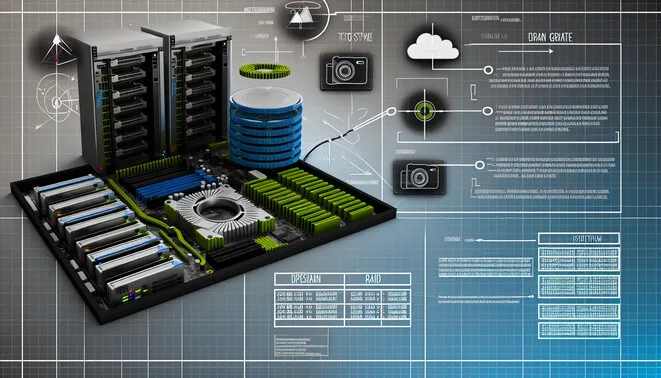
Introduction to RAID
RAID, or Redundant Array of Independent Disks, is a technology that combines multiple hard drives into a single unit for improved data storage management and performance. The primary significance of RAID lies in its ability to provide redundancy, performance enhancement, or both, depending on the RAID level implemented. Implementing RAID can significantly reduce the risk of data loss, making it crucial for businesses and users with critical data storage needs. For further exploration of data management technologies, consider reading about disaster recovery planning.
Understanding RAID Levels
RAID technology is pivotal for data storage, providing various configurations to optimize performance, redundancy, and fault tolerance.
RAID 0
RAID 0 offers data striping without redundancy. It splits data across multiple disks, enhancing speed and performance significantly. However, the lack of redundancy means that if one disk fails, all data is lost.
– **Advantages**: Increases performance and storage capacity.
– **Disadvantages**: High risk of data loss; no fault tolerance.
RAID 1
RAID 1 mirrors data across two or more disks, providing excellent redundancy. If one disk fails, data remains intact on the other disk.
– **Advantages**: High fault tolerance and easy recovery.
– **Disadvantages**: Capacity is halved, and can be costly.
RAID 5
RAID 5 employs striping with parity, meaning that data and parity information are spread across three or more disks. This offers both high performance and good redundancy.
– **Advantages**: Allows for one disk failure without data loss; efficient use of disk space.
– **Disadvantages**: Slower write speeds due to parity calculations; rebuild times can be lengthy.
RAID 6
Similar to RAID 5 but with an additional layer of parity, RAID 6 can withstand the failure of two disks, providing an extra level of data safety compared to RAID 5.
– **Advantages**: Better fault tolerance than RAID 5.
– **Disadvantages**: Slower write performance and requires a minimum of four disks.
RAID 10 (1+0)
RAID 10 combines mirroring and striping, offering redundancy alongside performance.
– **Advantages**: Excellent redundancy and performance.
– **Disadvantages**: High cost due to minimum disk usage and reduced storage capacity.
RAID 01 (0+1)
RAID 01 is an older method that mirrors a striped set of disks. While it provides redundancy, it lacks the parallel performance benefits seen in RAID 10.
– **Advantages**: Quick recovery from a single disk failure.
– **Disadvantages**: Vulnerable to a second disk failure.
In conclusion, selecting the right RAID level depends on your specific requirements. Understanding these differences is crucial for effective data management and disaster recovery planning. For more insights, check out our article on data recovery planning.
Choosing the Right RAID Configuration
When selecting the right RAID configuration for your needs, consider the following aspects: performance, redundancy, and data safety.
1. **Performance**:
– For read-intensive applications, RAID 0 offers excellent speed. Alternatively, RAID 10 combines the advantages of RAID 0 and RAID 1, making it suitable for applications needing both speed and redundancy.
2. **Redundancy**:
– If data safety is your primary concern, RAID 1 should be your go-to choice due to its mirroring functionality. RAID 5 and RAID 6 also offer redundancy while improving performance through disk striping.
3. **Capacity**:
– Your storage capacity requirements play a crucial role in RAID selection. RAID 5 is efficient as it utilizes only one disk’s worth of space for parity, while RAID 10 requires a 50% overhead.
4. **Use Case Scenarios**:
– For media production and gaming, where speed is critical, RAID 0 or RAID 10 is advisable. Conversely, for enterprise environments requiring high availability, RAID 5 or RAID 6 are preferable.
For additional insights on data management and server configurations, check out our article on disaster recovery planning strategies.
Setting Up RAID: Software vs. Hardware
When configuring a RAID, users encounter two primary options: software RAID and hardware RAID.
**Software RAID** manages RAID functionalities through the operating system, offering advantages such as cost-effectiveness, flexibility, and ease of use. However, it can be slower since it relies on CPU and system memory for RAID calculations.
In contrast, **hardware RAID** utilizes a dedicated RAID controller, often yielding better performance by offloading RAID processing tasks. While it provides excellent data security and performance, it typically involves higher costs and more complex configurations.
Ultimately, the choice between software and hardware RAID hinges on user requirements for cost, performance, and complexity. For further information on RAID technologies, consider exploring our comprehensive guide on homelab setups.
Common Myths and Misconceptions about RAID
One of the most persistent myths about RAID is that it serves as a backup solution. In reality, RAID is not a substitute for data backups; it primarily provides redundancy and performance improvement. Therefore, data still needs to be backed up separately to ensure its safety [Source: Backblaze].
Another misconception is that all RAID configurations are equally reliable. RAID 1 offers data redundancy, while RAID 0 increases the risk of data loss. Thus, understanding the strengths and weaknesses of each RAID type is crucial [Source: Storage Review].
Additionally, some believe RAID improves disk performance significantly. While some RAID configurations can enhance performance, the benefits can vary based on usage scenarios. For instance, RAID 5 can offer better read speeds than a single disk, but its write speeds may lag due to parity calculations [Source: TechRadar].
Lastly, the notion that RAID guarantees data integrity is misleading. RAID does little to address data corruption issues, necessitating additional measures for ensuring data integrity [Source: ZDNet]. Understanding these limitations is crucial for effective data protection.
Sources
- Backblaze – RAID Is Not a Backup
- Storage Review – RAID 0 vs RAID 1 vs RAID 10
- TechRadar – What Is RAID?
- ZDNet – What Is RAID and Why You Need It
- Virtual Home Lab – Complete Homelab Setup Guide for Beginners
- Virtual Home Lab – Disaster Recovery Planning Strategies for Safeguarding Your Data
“`